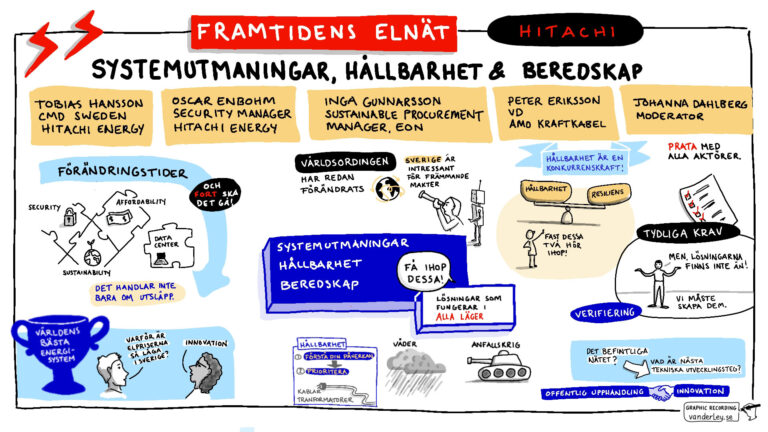
Last month I sat in the biggest conference room I have seen. It was beautiful too, with velvet drapes and gorgeous lamps hanging from the ceiling. I was looking for the perfect spot to sit while I created visual summaries of the conference.
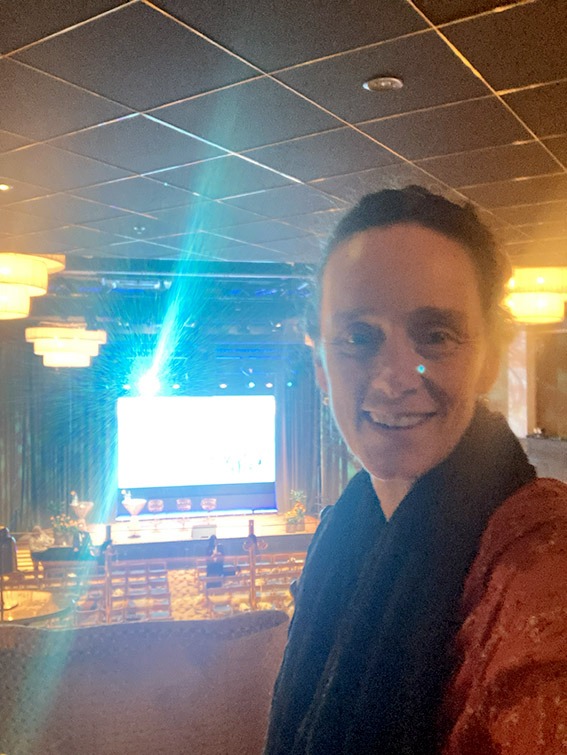
Since I am a live illustrator for events, you might think I like people watching me draw. It still makes me nervous. The problem isn’t that people can see what I am creating, which is, in many cases, projected onto a big screen so everyone can see the drawing in real-time. What really affects me is people looking at ME as I am drawing. It distracts me, and I have to really focus in order to stop thinking about them and instead let myself be totally absorbed by the content I am synthesising and visualising.
What a live illustrator needs at an event
Sometimes I don’t have any choice about where I sit, but sometimes clients ask me. I tell them
- I need to be able to see and hear everything well
- I need a proper table and a chair
- I need electricity to keep my devices charged
The back of the room, right near the AV people, is normally perfect. It’s nice and private, too.

Last month, as I scanned the beautiful conference room and waited for my contact to finish her phone call, I found a pretty good spot. It had a large table, a good view of the stage and an electrical power point. I started unpacking my things. What things, I hear you ask?
My live illustration equipment for digital documentation
Drawing tablet: I currently use a Microsoft Surface Pro. I may swap it for an iPad at some point, mainly because so many other Graphic Recorders rave about the program Procreate, which is exclusive to Apple.
Laptop: I bring an older laptop (it isn’t as precious as my super-strong-graphics computer). I use this to quickly check spelling (particularly when I am working at a Swedish-language event) and to search for reference images when my mind goes blank and cannot picture something (handshakes and bicycles always puzzle me, no matter how many times I draw them). My laptop is also a back-up in case something happens to my tablet: I have a Wacom drawing pad that I can use in combination with the laptop. The Wacom does not have a screen so I have to look at the laptops screen while drawing on the pad. This requires some intense brain gymnastics, but it is a good emergency back-up.
Mobile phone: for a dedicated internet connection. Conference venues do always have Wifi, but the occasional problems I have had connecting mean that I always put my hotspot on and have my own internet connection available.
Printed agenda: absolutely essential for planning my work and getting people’s names right!
Post-it notes and a pen: for jotting down quotes and data. Sometimes I have a blank spot to fill in at the end of the session – that’s when these come in handy.
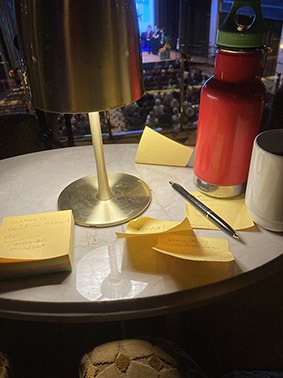
I set up all my electrical bits and pieces. When my contact finished her call and came to greet me, she suggested that I could sit upstairs, near the AV desk. It had a great view of the room, and there was hardly anybody up there to watch me as I drew. I agreed, even though the tables in that area were small coffee tables with lamps screwed in place, and the chairs were soft armchairs.
It was surprisingly comfortable. I had to perch my laptop on a footrest, but sitting in a cozy armchair with my tablet on my lap actually felt great ergonomically.

I turned all my devices on. Opened the folder with the files I had prepared and did my warm-up exercises.
The lights dimmed, the speakers walked on stage. I was ready.
And that is when I got a shock.
The information on the big screen behind the stage was fuzzy. Very hard to read. I looked at the AV guys to see if they had noticed it and were desperately trying to fix the problem, but they were sitting there calmly and quietly, as if nothing was wrong.
I was forced to acknowledge that the problem must be my eyesight. After 45 years of perfect vision, I was going to need glasses. Or binoculars.
Luckily, my job as a graphic recorder doesn’t mean I have to capture every single detail, so I did what I am supposed to do: listen to the speaker, pull out key phrases and concepts, and visualise them. On a few occasions when the speakers referred to a table of statistics, I took a photo with my phone and zoomed in on the photo.
Yes, I have since been to the optometrist and have ordered prescription glasses. I won’t need to take my children’s bright yellow binoculars to my next corporate event.
Need a visual summary for your next event?
If you are planning a conference and want to capture the highlights with engaging live illustration, get in touch!
My glasses have arrived and I am ready for action!